Last Updated on December 15, 2025 by Johnny Peter
Managing visual assets in modern software development usually splits into two camps: static bundles or dynamic fetching. For a simple brochure site, dropping a few SVGs into an `assets` folder works fine. But for platforms enabling user content-like website builders, presentation tools, or white-label apps-static libraries hit a ceiling fast.
Engineering teams face a clear trade-off: when does the maintenance cost of a self-hosted library outweigh the integration cost of a third-party service? The Icons8 API answers this by bridging your app to a massive repository of icons, illustrations, photos, and AI tools. It’s not just a file bucket. It acts as a search engine and delivery network for design components.
Scenario A: Building A White-Label Presentation Tool
Take a SaaS platform like Prezi or Canva. Their core value is giving end-users creative freedom. When a user wants to add a “rocket ship” icon to a slide, the platform needs to provide high-quality options immediately.
Building this internally creates a logistical nightmare. You would need to license thousands of icons, tag them with metadata, host them on a fast CDN, and build a search algorithm that understands synonyms.
Integrating the Icons8 API changes the workflow to a pass-through model:
- User Action: The user types “rocket” into the media sidebar.
- Search Request: The backend triggers a search call to the Icons8 endpoints. This request retrieves metadata and lightweight preview URLs, not heavy files.
- Display: The UI renders a grid. Since the API filters by style, the app restricts results to a specific aesthetic. No mixing line icons with 3D filled ones. Design integrity stays intact.
- Asset Retrieval: Once the user drags the icon onto the canvas, the application executes a download call. This fetches the high-resolution PNG or vector SVG for the final render.
This approach decouples the application’s codebase from its content library. Engineers focus on canvas interaction logic. The asset library grows automatically on the provider’s side.
Scenario B: Automating Design System Consistency
Large enterprises often struggle with “icon drift.” Different teams grab assets from different sources. Suddenly, the UI becomes a fragmented mess where some icons are 2px thick and others are 4px thick.
A DevOps team can use the Icons8 API to enforce consistency in the CI/CD pipeline. Instead of developers manually downloading assets and committing them to the repository, a build script manages the process.
In this workflow, the design system configuration file lists the required icon IDs. During the build:
- The script authenticates via the API key.
- It iterates through the required asset list.
- It requests the specific format (e.g., SVG) and size for the production build.
- The API delivers assets via CDN, pulling the latest versions.
This saves days of work during a rebrand. Switching from “Material” style to “iOS” style? Don’t replace hundreds of files manually. Update the style parameter in the API request configuration. The next build pulls the new visual language across the entire application.
A Developer’s Workflow: Contextual Weather Implementation
Meet Jules, a frontend developer building a weather dashboard for a logistics company. The requirement is simple but tedious: display a specific illustration based on complex weather data (e.g., “heavy rain with wind”).
- 09:00 AM: Jules reviews the weather data. Over 50 different conditions exist. Hardcoding 50 local SVG paths is messy and bloats the bundle size.
- 09:30 AM: Jules maps weather conditions to search queries. A utility function takes the weather description string and passes it to the Icons8 search endpoint.
- 10:15 AM: To prevent UI breaks, Jules adds a fallback. If the API misses a high-confidence match for a rare weather event, the system defaults to a generic “cloud” icon.
- 11:00 AM: The icons need to match the app’s dark mode. CSS filters often look muddy. Jules configures the API icon request to fetch the specific style that complements the dark theme.
- 02:00 PM: Testing reveals that fetching on every refresh is slow. Jules adds a local caching layer. The app checks local storage for the icon URL before making a network request.
- 04:00 PM: The design team asks for “3D style” illustrations. Jules changes one parameter in the API call (`style` argument), and the dashboard updates with the new 3D assets instantly.
Comparing Asset Delivery Strategies
Choosing between the Icons8 API and alternatives usually hinges on volume and infrastructure control.
Self-Hosted Static Bundles
The traditional route. Buy an icon pack, put it in your repo, and ship it.
- Pros: Zero latency after initial load, no external dependencies, no recurring API costs.
- Cons: Selection is tiny. Adding new assets requires a code deploy. Bloats application size.
Other APIs (Iconfinder, Flaticon)
Competitors like Iconfinder and Flaticon offer similar RESTful access.
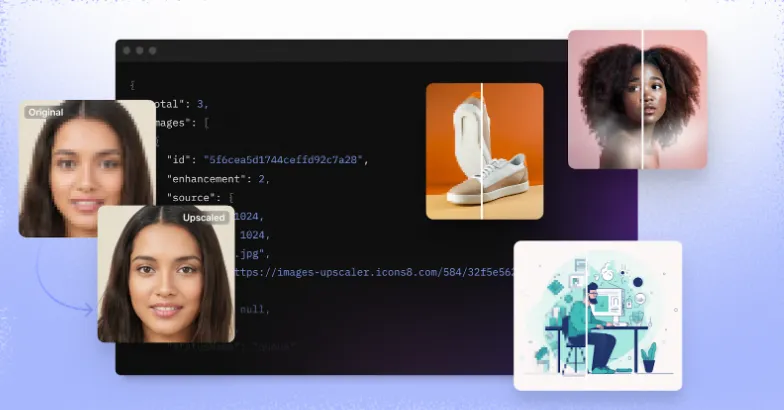
- Comparison: Differentiation often comes down to ecosystem breadth. Others focus strictly on icons. Icons8 includes endpoints for photos, music, and AI operations like the Upscaler and Background Remover. If your application needs to manipulate images and fetch an icon, using a single provider reduces integration complexity.
Icons8 API
- Pros: Access to illustrations, music, and AI tools in one place. CDN delivery offloads bandwidth costs. Consistent styles allow for easier programmatic filtering.
- Cons: Introduces a runtime dependency. Requires managing API keys and rate limits.
Limitations and When This Tool Is Not the Best Choice
An API-first approach to assets is not a silver bullet.
Offline-First Applications
Building a field service tool for remote areas? Relying on an API is risky. Caching helps, but the initial fetch requires a connection. For core UI navigation elements that must always be present, embedding SVGs directly into the binary is safer.
High-Traffic Static Sites
Running a landing page that uses the same five icons for everyone? Calling an API 400,000 times a day is inefficient. It introduces unnecessary latency and eats into rate limits. Download the five assets you need and serve them from your own infrastructure.
Strict Security Environments
Some banking or defense applications restrict outbound traffic to a whitelist of domains. Adding a dependency on an external content provider might complicate compliance reviews.
Practical Implementation Tips
For teams integrating the Icons8 API, a few best practices can prevent performance bottlenecks and billing surprises.
Aggressive Caching is Mandatory
Do not call the API every time a user renders a component. Store the asset URL or the base64 data in your database or local storage. Use the API to discover and retrieve assets, not to serve them on every pixel repaint.
Understand the Rate Limits
The platform imposes rate limits. If your application has a “search as you type” feature, ensure you debounce the input. Do not send a request for “I”, then “Ic”, then “Ico”. Wait until the user pauses typing before firing the request.
Leverage the Formats
The API supports PNG, SVG, and PDF. For web apps, request SVGs whenever possible. They scale infinitely and are often smaller than high-res PNGs. If you use the Photos or Illustrations API, watch the file sizes. Use the CDN links provided in the response rather than downloading and re-serving heavy binaries yourself.
Utilize the Sandbox
Before committing to a paid plan, use the Free tier to validate the integration. It has limits, but it effectively tests the handshake between your application and the endpoints.