Last Updated on August 27, 2026 by Johnny Peter
A local story often starts with a small, useful fact. A meeting time changes. A restaurant opens. A youth program needs volunteers. A beach cleanup moves to a new location. None of that needs a movie trailer. It needs a clear message that people can understand quickly.
That is where short video planning can help, but only if the story comes first. Motion, music, and visual polish should not decide what a community update means. Editors and local organizations still need to decide which detail matters, what has been verified, and what should stay in the written article.
The camera does not know what matters. The brief has to tell it.
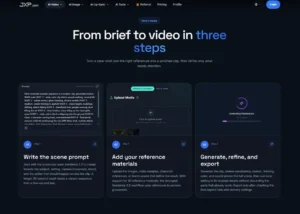
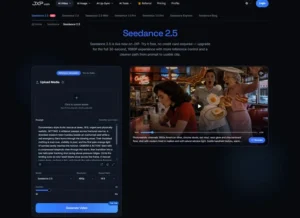
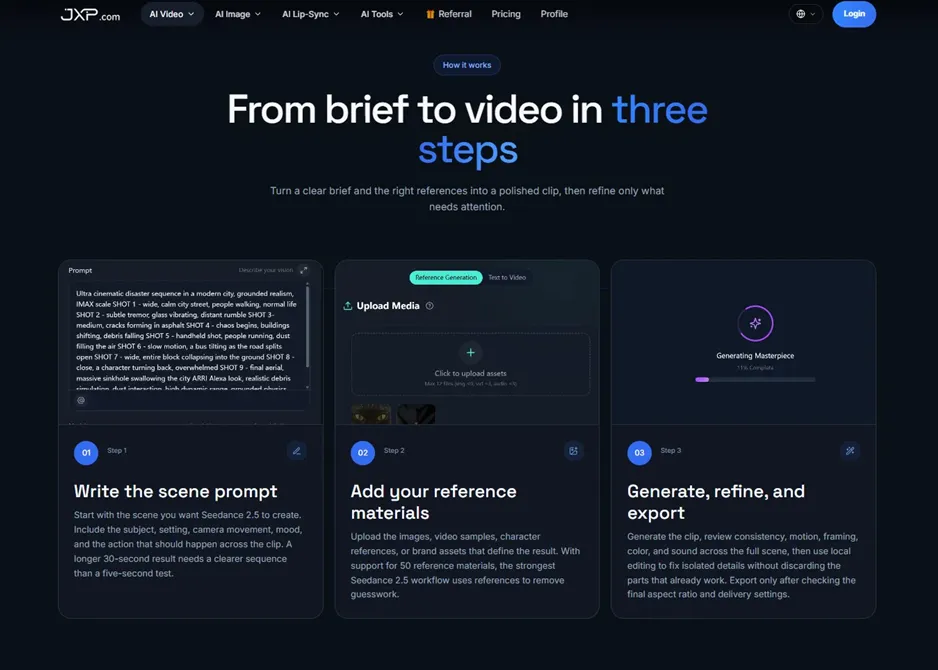
Used carefully, Seedance 2.5 on JXP can support early visual planning for a short community video concept. JXP presents Seedance 2.5 as a workflow for text-to-video and reference-guided creation, with settings and usage details that teams should confirm inside the product before using a draft for publication, sponsorship, or paid promotion.
Start With the Community Use
A short video should answer a practical question. Is the viewer being invited to attend, reminded to register, helped to understand a local change, or encouraged to read the full article?
Those are different jobs. A video for an event listing may need a date, location cue, and reason to care. A video for a neighborhood feature may need atmosphere and a few visual beats. A video for a business profile may need to show context without turning the piece into an ad. A video for a local explainer may need a simple diagram more than a scene.
If the purpose is unclear, the draft will usually drift toward whatever looks attractive. That may be fine for a mood board. It is not enough for local publishing.
Keep Facts Outside the Generated Scene
Local news depends on small details: names, dates, addresses, meeting rooms, registration links, price changes, school names, city departments, and official instructions. Those details should come from the article, source notes, verified screenshots, or approved event listings.
A generated clip can reserve space for a headline or callout, but the final text should be added and checked during editing. If a map, flyer, calendar, website form, or government notice must be accurate, use verified source material in the final edit rather than a plausible imitation.
This matters because a wrong date or room number can waste a reader’s time. A wrong agency name can weaken trust. A generated sign or screen can look official even when it is not.
Choose References That Do Not Create Privacy Problems
Community coverage often involves people, places, and small identifying details. That makes reference selection more important, not less. A clean brief should avoid private addresses, license plates, school rosters, staff contact sheets, unpublished notes, internal emails, account information, and personal photos.
Safer planning materials include original event graphics, abstract neighborhood maps, non-identifying location sketches, publication color cards, simple room layouts, public-facing brand assets cleared for the intended use, and written scene notes with sensitive details removed.
Publication permission and external AI processing permission are separate questions. A file that can appear in an article is not automatically appropriate to upload into a generation workflow. When in doubt, use a diagram or a neutral visual instead.
Do Not Turn an Example Into a Promise
Local videos often use examples to make a story easier to follow. That can work well. A short visual might show how residents move from a headline to a registration page, how an event day is organized, or how a community project unfolds in phases.
But the example should not become a broader promise. If one park project is shown, the video should not imply every nearby project follows the same timeline. If one business is featured, the visuals should not suggest endorsement beyond what the article actually says. If one meeting topic is highlighted, the video should not make the whole agenda look settled.
A local story earns trust by staying close to what has been reported. The visual draft should do the same.
Use Motion to Clarify Sequence
Motion is useful when order matters. A community update may move from announcement to deadline to location to next step. A local business story may move from problem to service to neighborhood context. A feature may move from setting to detail to reader takeaway.
That structure can be tested before the final asset is built. A draft might show whether the opening is too slow, whether the middle has too many points, or whether the call to action appears too late. It may also reveal that a still image, quote card, or simple graphic would work better than a moving scene.
That is a good outcome. Not every story needs video. The point of planning is to find the right format before time is spent polishing the wrong one.
Be Careful With Official-Looking Material
A local video can easily look more official than intended. A generated sign, badge, map marker, weather graphic, public notice, or uniform-style visual may make viewers think an agency created or approved the message.
If the story involves city offices, schools, public meetings, transportation changes, emergency information, elections, health resources, or legal processes, the final article should rely on verified sources and current official materials. A generated draft can help plan the visual order, but it should not reinterpret official instructions or replace the live article.
For urgent or fast-changing information, video may be the wrong first format. The article, official notice, or live update should remain primary.
Review the Draft Before It Becomes Promotion
Before a draft becomes a published post, the review should be simple and a little strict. Does the video match the article? Are the dates and names coming from verified text? Could viewers mistake an illustrative scene for real footage? Does the tone fit the neighborhood, event, or organization being covered?
The review should also ask whether the video has become too promotional. Local readers can usually feel the difference between a useful announcement and a dressed-up advertisement. If the article is sponsored, that relationship should remain clear in the final publication.
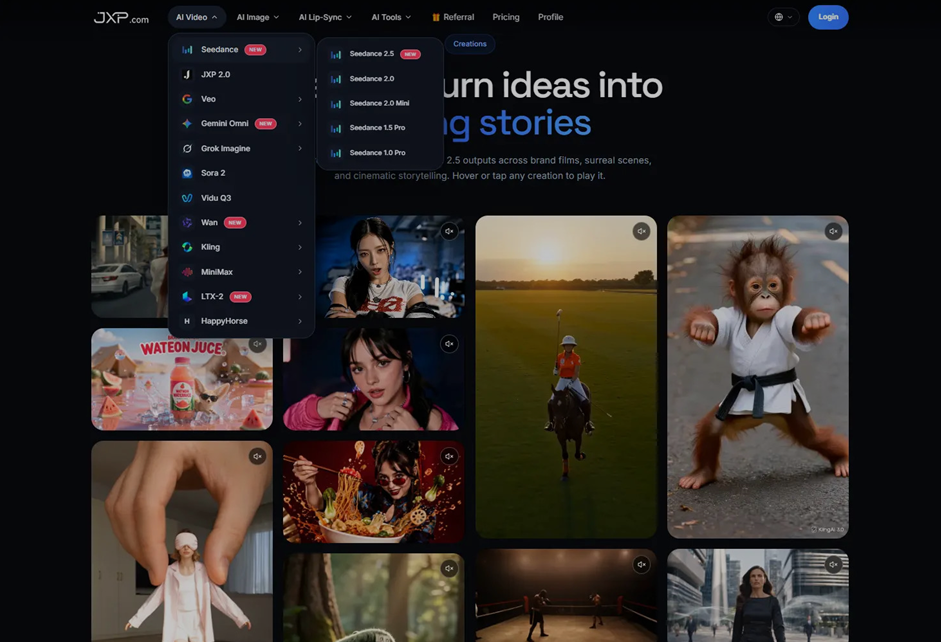
A practical local news video workflow can give editors and community teams a draft to discuss before the final version is designed, filmed, or submitted for publication.
Let the Article Stay in Charge
The best short video for a local story usually has a modest job. It helps readers notice the piece, understand the basic shape, and know where to go next. It does not need to carry every fact, prove every claim, or replace the reporter’s work.
That limit is healthy. Local publishing depends on trust built over many small decisions. A clear brief, careful references, verified text, and a calm review process help keep the video in its lane.
When the draft makes the story easier to understand without making it louder than it should be, it has done useful work.