Last Updated on September 30, 2026 by Johnny Peter
A pun is small, but it is not simple. One wrong image can explain too much. One crowded scene can bury the punchline. One overworked caption can turn a light joke into a tiny lecture with sound effects.
That is the strange problem with turning wordplay into video. The joke often works because the reader makes the connection. If the video makes every connection obvious, it can flatten the surprise. If it stays too abstract, the viewer may miss the joke entirely. The useful middle ground is a draft that tests timing, setup, and visual clarity before anyone spends time on final editing.
For a site built around puns, jokes, and quick readable posts, video should support the line rather than compete with it. A short draft can help writers and social editors see whether a pun has a clear visual beat, a clean final frame, and enough breathing room for the words to land.
Start With the Turn in the Joke
Before opening a video tool, the editor should know where the joke turns. Is the funny part in the double meaning? The unexpected object? The sound of the words? The contrast between a normal scene and a silly caption?
A joke about a tired laptop, for example, should not automatically become a busy office scene. The turn might be as simple as a sleepy loading icon, a desk lamp that feels dramatic, or an empty coffee mug sitting beside a frozen screen. The point is not to decorate the joke. The point is to give the viewer one visual clue and then leave room for the line.
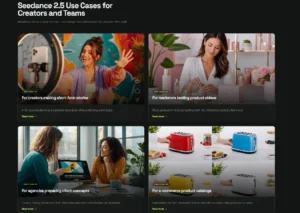
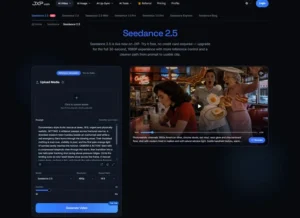
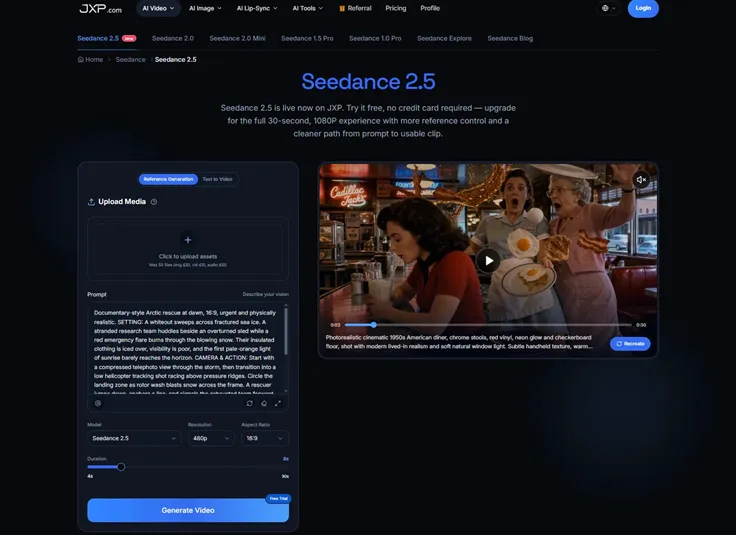
This is where Seedance 2.5 can fit into a planning process. The current JXP page presents Reference Generation and Text to Video workflows for prompt-led and reference-guided creation. Editors should still confirm the current duration, resolution, upload rules, cost, and commercial-use terms inside the product before using a draft for a published post, sponsored placement, or paid campaign.
Do Not Explain the Punchline Too Early
Video loves to explain. It can show the setting, the object, the reaction, the movement, the caption, and the final call to action. A pun does not always need that much help.
If the text says, “I used to be a banker, but I lost interest,” the draft does not need floating coins, a sad bank lobby, charts falling from the sky, and a giant word “interest” on screen. One restrained setup may be stronger: a quiet desk, a small visual pause, then a clean frame for the caption. The viewer gets the joke because the words still do the work.
A good draft should make the timing visible. Where does the viewer look first? How long before the caption appears? Does the scene give away the pun before the line arrives? If the visual makes the joke obvious in the first second, the editor may need a quieter opening.
Use Plain References When the Joke Is Plain
Simple references are often enough at this stage. A color palette, object photo, layout sketch, or short note can guide the draft without dragging in unnecessary details. The prompt should tell each reference what job it has. One reference can guide the setting. Another can guide mood. Another can show a rough composition.
References should also stay eligible for external processing. Original sketches, approved illustrations, simple prop photos, and brand-owned design elements are easier to manage than copied memes, celebrity images, film stills, private screenshots, or unlicensed character art. If a reference creates rights confusion, the joke is already carrying too much weight.
The same rule applies to identity materials. A general reaction scene or illustrated character is usually enough for a joke draft. There is no need to build a casual pun post around real headshots, private photos, or likeness-based material.
Keep the Words Editable
Puns are fragile. A missing letter can ruin the joke. A distorted caption can make the punchline look accidental. A generated sign or label may shift between frames, and the viewer will notice the mistake faster than the setup.
Important text should stay editable until the final version. That includes the pun, headline, hashtag, sponsor label, product name, date, price, disclaimer, and call to action. The draft can reserve space for words, but the approved copy should be added in editing.
This also keeps testing flexible. A writer can try two versions of a line over the same draft and see which one lands better. Sometimes the shorter caption wins. Sometimes the joke needs one extra word. That decision should not require regenerating the whole scene.
Match the Video to the Kind of Pun
Not every joke wants the same pace. A one-line groaner may need a fast visual setup and a clean hold. A gentle workplace joke may need a slower rhythm. A silly animal pun may work with a bright illustrated style. A tech joke may need a simple prop, not a fake software interface.
Editors should ask what the video is supposed to add. If it adds mood, keep it atmospheric. If it adds a visual misdirection, keep the setup clean. If it adds shareability, make sure the first frame is readable on a phone. If it adds nothing, the joke may be better as text.
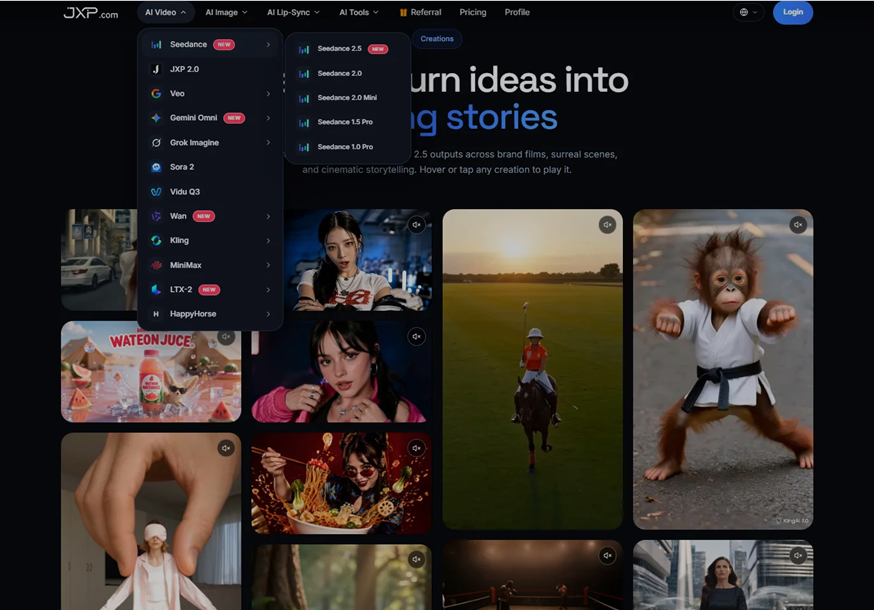
A practical short joke video workflow can help writers test those choices before turning a small line into a full social asset.
Watch for Accidental Claims
Light content can still create the wrong impression. A joke about a product should not make the product look faster, safer, cheaper, larger, or more reliable than it is. A playful tech scene should not show a fake interface as if it were a real screen. A sponsored post should not hide the commercial relationship behind a joke.
Generated scenes should illustrate the idea, not serve as evidence that something happened. If a draft could be mistaken for real footage, a real product test, an actual customer reaction, or an official brand asset, the caption or surrounding article should make the illustrative nature clear.
Writers should also check whether the joke changes tone when visualized. A harmless line can feel mean when paired with the wrong character. A playful complaint can look like an attack on a real company. A silly scene can become confusing if it borrows the look of a known franchise or public figure.
Let the Draft Improve the Post
The most useful result may not be the video itself. A draft can show that the joke needs a cleaner setup, a shorter headline, or a more specific object. It can show that the caption appears too late, the background is too busy, or the punchline is not clear without sound.
That feedback can improve the written post. Maybe the first sentence needs to name the situation. Maybe the headline should hold back the punchline. Maybe the social caption should be shorter than the article title. A video draft becomes useful when it helps the editor make those decisions earlier.
Video is helpful when it serves the joke. It becomes clutter when it tries to replace the joke. For pun-based content, the best draft is often the one that knows when to stop.