Last Updated on September 30, 2026 by Johnny Peter
A person leans toward a drooping houseplant and says, “You’re doing great. Keep growing.”
Without any context, it is just a strange scene. Add one earlier line—“This plant needs more encouragement”—and the same image becomes a joke. The audience now understands why someone is giving a plant a pep talk.
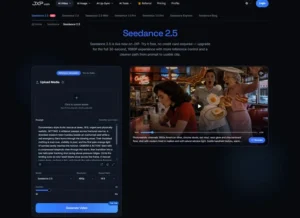
Before filming, a phone rehearsal, quick storyboard, or a rough scene made with Seedance 2.5 on XMK can help check whether that first line arrives clearly and whether the final reveal appears too soon. The aim is simply to test the order before spending time on a finished version.
Write the Joke Before Planning the Camera
Describe the idea in one plain sentence:
A person mistakes encouragement for a plant for emotional support.
If the idea is easy to explain, it is usually easier to show. If it needs a long backstory, several characters, and multiple explanations, it may be too crowded for a short clip.
Next, choose the detail that completes the joke. In this case, it is a watering can. It reveals what the plant actually needs.
Do not place that object in the middle of the opening frame. If viewers notice it too soon, they may predict the ending before the misunderstanding has time to develop.
The plan is now simple:
- Show the problem.
- Follow the wrong interpretation.
- Reveal the practical answer.
Build the Scene in Three Shots
Shot One: Establish the Problem
Open on a kitchen, two roommates, and a slightly wilted plant near the window.
One roommate looks at the plant and says, “It needs more encouragement.”
That is enough. The audience knows where the scene takes place and what has caught the characters’ attention.
Keep the background calm. A pet running through the room, a boiling kettle, and someone opening the door may make the frame livelier, but they do not help this joke. They only compete with the plant for attention.
Shot Two: Follow the Misunderstanding
The other roommate pulls up a chair, sits beside the plant, and says, “You’re doing great. Keep growing.”
The character should treat this as a perfectly sensible response. A wink at the camera would announce the joke too early. A long speech would make viewers wait after they have already understood the mistake.
Keep the plant in view. If the camera moves too close to the speaker, the scene loses the object connecting the setup to the odd response.
One sincere line is enough.
Shot Three: Reveal the Answer
The first roommate quietly raises a watering can.
The other person looks at it, then back at the plant.
Cut.
There is no need to add, “Oh, you meant water.” The object has finished the joke.
Try the ending without a reaction zoom, record scratch, or large caption. Those devices can work, but they should add something specific. When several arrive together, viewers may notice the editing before they notice the punchline.
Test the Order and Timing
Fast does not always mean clear.
Play the first shot without dialogue. Is the plant still easy to notice? Pause just before the ending. Has the watering can already appeared in the background? Watch the final reaction. Does it continue after the idea has landed?
Change one detail at a time. Shorten the opening, move an object, or trim the reaction. If the camera, dialogue, setting, and character movement all change together, it becomes difficult to tell what helped.
Three shots are only a planning method. Some jokes work in one continuous take. Others need an extra close-up because the final detail is small. The exact number matters less than the order: setup, wrong turn, payoff.
Use a Draft as a Rehearsal
In an AI video planning workflow, a draft can help compare different ways of staging and timing the same scene.
One version might keep both roommates in view. Another might move closer during the pep talk. Watching them back to back can show whether the expression helps or whether the closer shot hides the plant.
Keep the brief simple. Describe the fictional characters, room, plant, actions, and camera order. Unnecessary references and visual instructions can make it harder to judge the part that matters.
Treat the result as a moving sketch. Objects can change, movements can drift, and reactions may arrive at the wrong moment. Review the full clip.
Revising the draft may help with a visual mistake. If the action is confusing or the payoff arrives at the wrong time, the scene may need a new draft or a normal edit.
Keep Captions Quiet
Captions help people watching without sound, but they should not explain the joke before it happens.
The two spoken lines can appear as ordinary subtitles:
“It needs more encouragement.”
“You’re doing great. Keep growing.”
Avoid adding a heading such as “WHEN YOUR ROOMMATE TAKES EVERYTHING LITERALLY.” It tells viewers how to read the scene before they have seen the misunderstanding.
Check the captions on a phone-sized screen. Make sure they do not cover the plant or watering can. If the ending needs a paragraph of explanation, fix the setup instead of adding more text.

Keep the Joke Fictional and Low-Stakes
Everyday misunderstandings are easier to handle than jokes aimed at real people. Do not use a generated scene to embarrass or impersonate someone, or to invent something they never did. Avoid jokes built around a person’s identity, disability, illness, private life, tragedy, or an unverified accusation.
XMK currently states that real human faces—including selfies, portraits, and celebrity content—are not supported in this workflow. Copyrighted, violent, and NSFW material is also restricted. Original illustrated characters, eligible synthetic characters, and object-led scenes are safer choices.
Only upload images, voices, music, and recordings when permission covers AI processing and the planned public use. If viewers could mistake a synthetic scene for real footage, make its fictional nature clear and follow the disclosure rules of the platform where it will appear.
Check the Finished Clip Three Ways
First, watch without sound. Can you understand the situation and spot the final reveal?
Next, listen without looking. Does the dialogue give away the ending or suggest something different from the images?
Finally, watch the complete clip normally. Look for changing objects, strange hand movements, accidental logos, covered captions, and background details that pull attention away from the watering can.
If the scene refers to a real person or event, verify the facts independently and never present generated footage as proof.
Stop When the Final Image Lands
Funny short videos do not always need faster cuts, louder reactions, or more effects.
If viewers understand the setup, the punchline does not need much help. Show the problem, take one believable wrong turn, and stop as soon as the final image lands.